Allowed services
Choose which outside services your automations and apps may call, who receives the data and why, and download your record of processing.
An automation can call another service, such as your accounting package or a delivery service, and an app’s pages can call one from the visitor’s browser, such as a map, but only a service your organisation has allowed. Allowed services lists them, with who receives the data, why, and what uses each one: Used by shows Automations and how many Apps. Open it from Technical → Allowed services in the sidebar. Only Administrators see it, and only an Administrator can allow a service.
Allow a service
Section titled “Allow a service”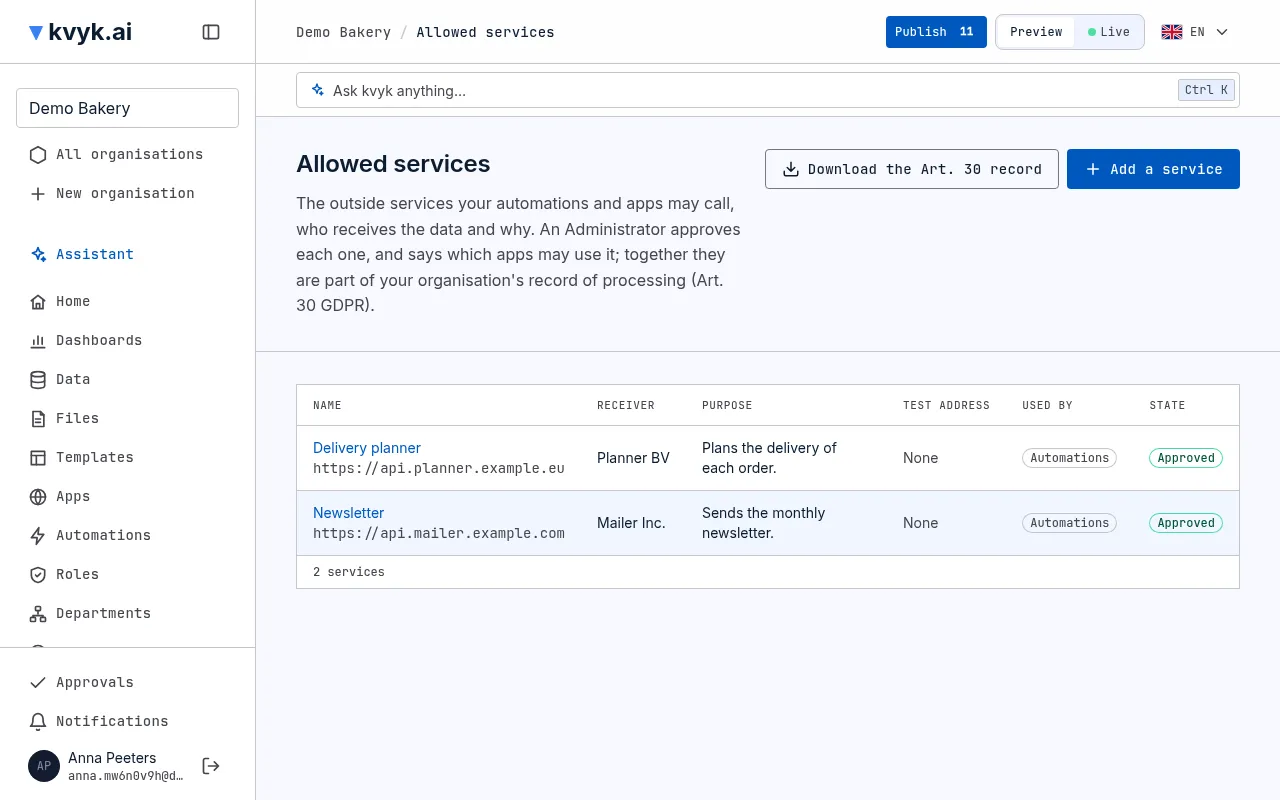
- Choose Add a service.
- Fill in:
- Name: how you call it, such as Delivery planner.
- Address: where automations call it, starting with
https://. Calls to addresses that start this way are allowed, and nothing else. - Test address: optional. See Test addresses.
- Receiver: the company behind the service.
- Purpose: what your organisation uses it for.
- Automations may call it: on by default. Turn it off for a service only your apps call.
- Choose Save and approve.
When the assistant makes an automation that needs a service that is not on the list yet, it proposes it. The service then shows Waiting for approval, and automations cannot call it until an Administrator opens it, checks it and chooses Approve.
To stop everything calling a service, open it and choose Remove, then confirm. Steps that call it fail from then on, and Live blocks it for the apps that used it at once.
Apps that may call a service
Section titled “Apps that may call a service”An approved service lists under Apps the apps whose pages may call it on Live, with who allowed each and when. A new service lists none. To add one, pick the app under Allow an app (type to search) and choose Allow. To stop an app, choose Take back beside it and confirm: Live blocks it at once. Each app is allowed on its own, so a second app calling the same service waits for its own allowance. See Outside services for how apps ask for one.
Your record of processing
Section titled “Your record of processing”Together, the allowed services are part of your organisation’s record of processing under Art. 30 of the GDPR: who receives the data and for what. Choose Download the Art. 30 record for a CSV file of every service ever approved, the removed ones included, each listed once with its receiver and purpose, who approved it and when, and its uses: whether automations call it and which apps. It also says that a service the apps call receives the visitor’s IP address and what the page sends it, never a secret.
Test addresses
Section titled “Test addresses”On Preview, automations do not really call anyone: each call is captured and answered with a sample, so you can test without touching the real service. When you want a real answer on Preview, give the service a Test address, such as the service’s sandbox. Preview then calls that address for real, with Preview’s secrets. Live always calls the Address.