Your API
Everything you can do in your organisation is also available through its API, with your own access. The API reference describes it.
Every organisation has its own API: the same actions you take in the dashboard, available to other software. The API reference describes it, operation by operation. Open it from Technical → API reference in the sidebar.
Only members of the organisation can open its API reference, and every member can.
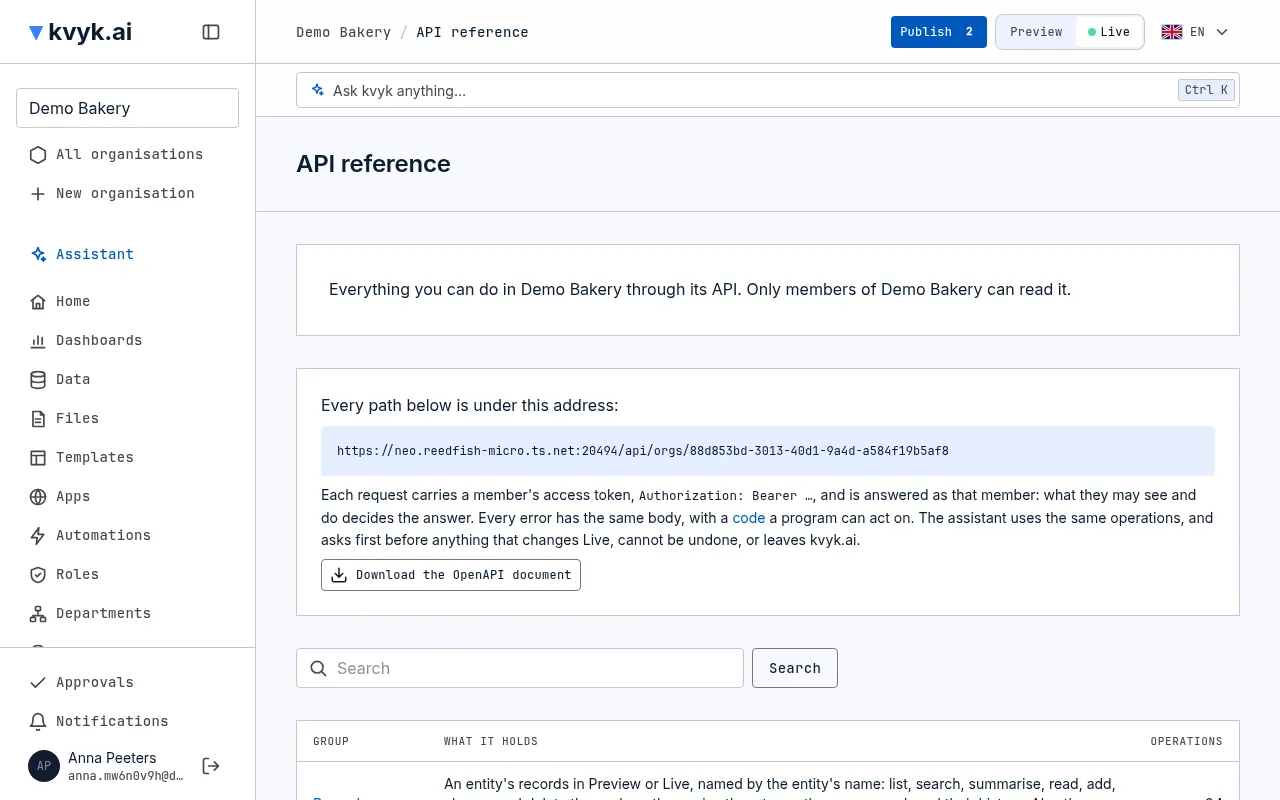
What the reference shows
Section titled “What the reference shows”- How to call it: the address every operation is under, and how a request says who is making it.
- Groups: records, the data model, publishing, data roles, departments, members, the organisation and the event log, each with how many operations it holds.
- Each entity’s records: a group per entity, with its own fields, as the stage you are looking at has it. Switch between Preview and Live at the top right to see the other.
- Search: finds operations by what they do, across every group.
- Error codes: every error has the same shape, with a code a program can act on. This page lists them and what each means.
- Download the OpenAPI document: the whole description as a file, for tools that read the OpenAPI format.
One operation
Section titled “One operation”Choose an operation to open it. It shows the full address to call, its parameters, what to send and what comes back, field by field, and who may call it.
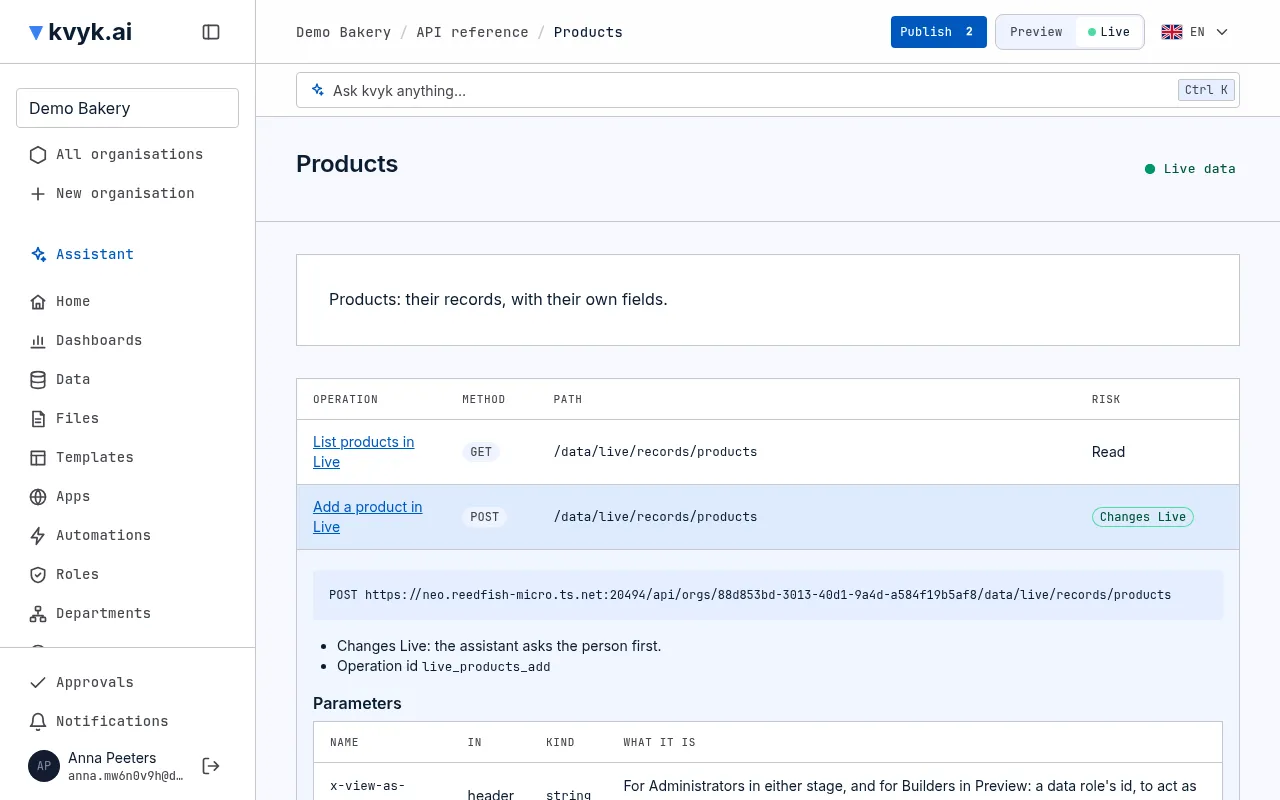
Each operation also says how much it can do:
| Label | Means |
|---|---|
| Read | Only looks. |
| Change | Changes something that can be changed back. |
| Changes Live | Changes your real records in Live. |
| Cannot be undone | Deletes or removes something. |
| Leaves kvyk.ai | Sends something out, such as an invitation email. |
In which language
Section titled “In which language”The reference’s descriptions, the API’s names and the error codes are in English, whatever language the dashboard is in: they are written for developers. What the API says back, such as why it refused something, is in your language: the one your account reads the dashboard in, or else the one a request asks for with Accept-Language.
As you, with your access
Section titled “As you, with your access”An operation does exactly what you could do in the dashboard, no more: the same data roles, field access and checks apply. Everything done through the API shows in the event log like anything else.
The assistant uses it too
Section titled “The assistant uses it too”The assistant works through the same operations. That is why it can do anything you can, and why it asks you to confirm before anything marked Changes Live, Cannot be undone or Leaves kvyk.ai. It can also open the API reference for you. See Your data and the assistant.