The event log
Everything that happened in your organisation, who did it and when, searchable by Administrators.
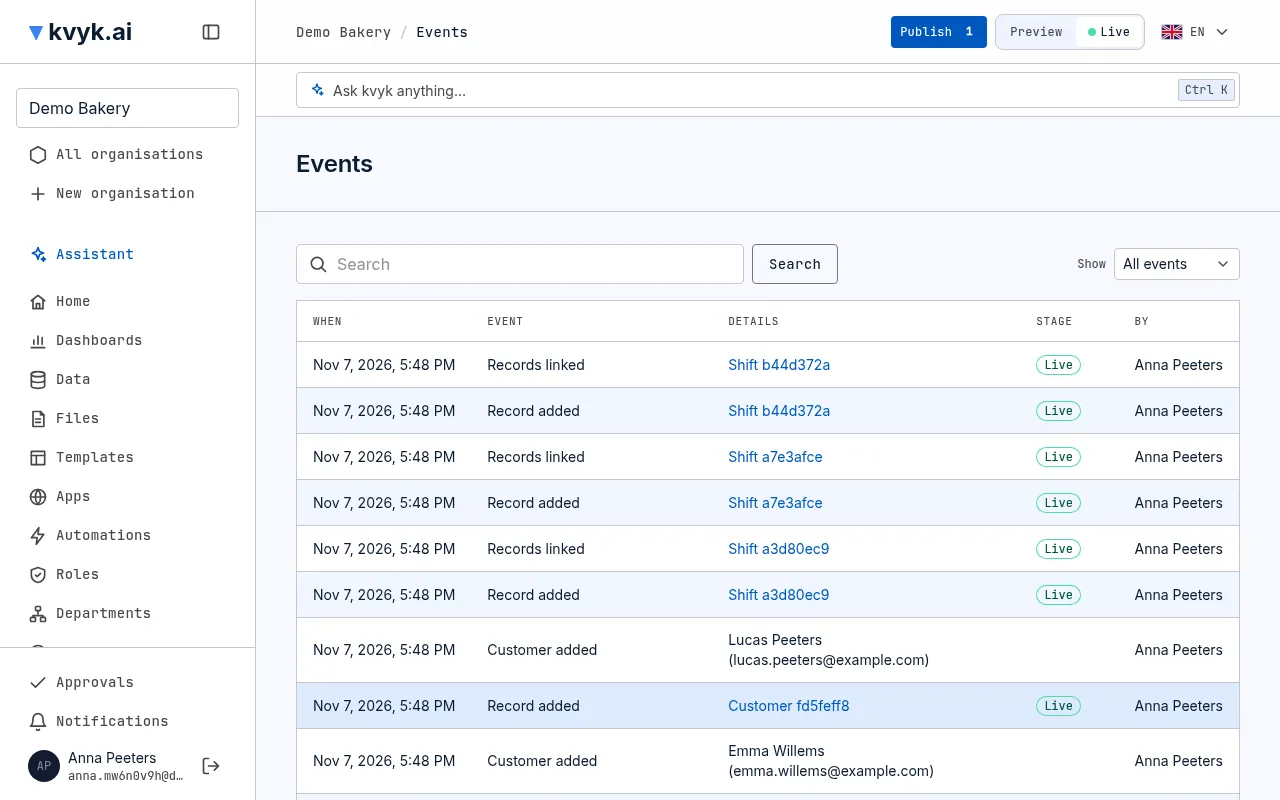
Events lists everything that happened in the organisation, newest first, with who did it, when, and in which stage. Administrators see it, under Technical in the sidebar.
What it records
Section titled “What it records”- Records: added, changed, deleted, given to someone else, shared and no longer shared; a document made for one, and an email sent from one, with its address and subject.
- People: invitations sent, accepted and revoked; members added, changed and removed; customers added, changed, removed, exported and erased; changes of email address waiting for verification, sent again, cancelled and verified, from which address to which.
- Departments: added, changed and removed.
- The data model: changes in Preview, publishing to Live, discarded changes and deleted data removed for good.
- Data roles and field changes.
- The organisation: created, renamed (with the old name and the new), its web address changed (with the old address and the new) and its settings changed, naming the entities the assistant may now use or no longer use, all its data exported, and it ended or its end undone.
- From kvyk.ai: a warning kvyk.ai sent the organisation or one of its members (with the note kvyk.ai added for the organisation), the organisation or one of its members suspended and the suspension lifted (with the reason kvyk.ai gave for suspending the organisation), and the notices kvyk.ai sent its Administrators about a change, such as to the terms, and a deleted account’s name and address removed.
Each event says who did it. When the assistant did something for someone, it says so: “Anna, via the assistant”. Test records added for a demonstration show as Test data.
Find something
Section titled “Find something”- Search by person, entity or what was changed.
- Show one kind of event at a time, such as only Record deleted.
- Choose an event’s record to open it, in its own stage.
The search and the kind you chose stay in the page’s address, so you can bookmark a view.
A record’s own history
Section titled “A record’s own history”The events of one record also show as its history, on the record’s page, for everyone who may open the record. See Work with records.
Kept and complete
Section titled “Kept and complete”The event log is written together with each change: a change that is made is always in the log. Events cannot be edited or deleted, not even by Administrators. Only the name and email address of a person whose account was deleted, or of an erased customer, are removed: their events then show Deleted account, or no longer name the customer.