Plans and their limits
What the Free and Pro plans include, how many apps and members each allows, what credits are good for, what happens when your organisation reaches a limit, what Pro costs and how to pay for it, and how price changes work.
Every organisation is on a plan. The plan says how many apps and members the organisation may have, how much it may store, how much the assistant and the AI steps in automations may do, and which features it includes. A new organisation starts on Free. You pay per organisation, not per person.
Free and Pro
Section titled “Free and Pro”| Free | Pro | |
|---|---|---|
| Price | €0 | €19 per organisation per month, excluding VAT |
| Apps | 1 | No limit |
| Members | 5 | 100 |
| File storage | 5 GB | 100 GB |
| The assistant | 15 credits per 24 hours, 100 per 7 days | 100 credits per 5 hours, 300 per 7 days |
| AI steps in automations | 50 credits a month | 1,000 credits a month |
| Live | Yes | Yes |
| An app’s own domain | No | Yes |
| Payments | No | Yes |
| API keys | No | Yes |
Members are the people who sign in to your organisation’s dashboard. Invitations not yet accepted count as members. Customers, the people who sign in to your apps, are not members: every plan allows as many customers as you like.
The assistant’s credits hold in two windows that start again; see Assistant use and limits. The credits of AI steps in automations start again on the first of each month.
What credits are good for
Section titled “What credits are good for”Credits measure the AI work the assistant does for you: reading your data, building an app and checking it. The more the assistant does for a message, the more credits it takes. As a guide:
| Work | Credits |
|---|---|
| A question about your data | About 1 |
| A new small app, built and checked | About 15 |
| A change to an app | About 20 |
So on Free, 15 credits in 24 hours is about 15 questions or 1 new small app, and 100 credits in 7 days about 100 questions or 6 new apps. On Pro, 100 credits in 5 hours is about 100 questions or 6 new apps, and 300 credits in 7 days about 300 questions or 20 new apps. A larger app or a long conversation takes more. The Ask the AI steps in automations have their own credits each month.
See your plan
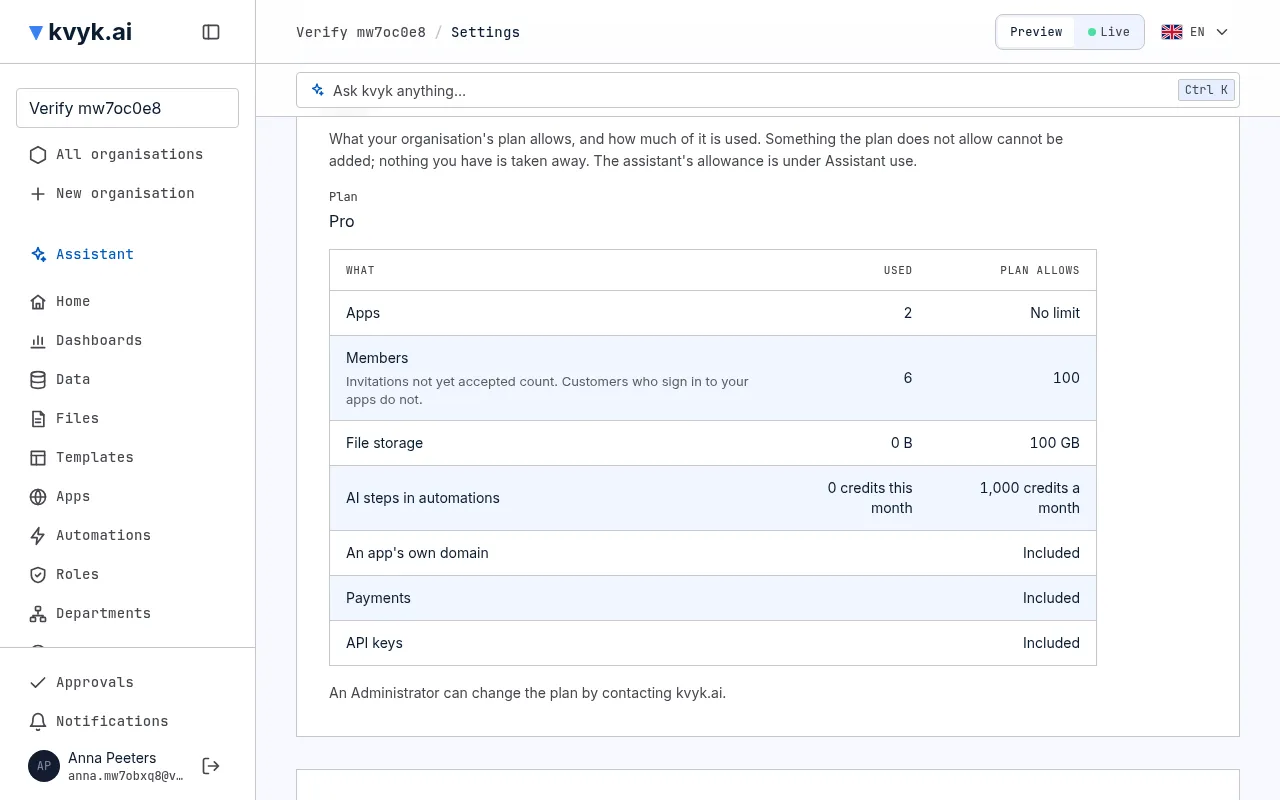
Section titled “See your plan”Settings shows, under Plan, for everyone in the organisation:
- the plan’s name;
- for apps, members, file storage and AI steps in automations: how much is used and how much the plan allows;
- for an app’s own domain, payments and API keys: whether the plan includes them.
When you reach a limit
Section titled “When you reach a limit”When the organisation has as many apps or members as its plan allows, you cannot make another app or invite another person. When the plan does not include a feature, you cannot add an app’s own domain, a payments connector or an API key. Wherever you try, kvyk.ai says which limit stopped it, names a plan that allows it, and that an Administrator can pay for it under Paying for Pro.
Nothing you already have is taken away. An organisation that had more apps, members or features before its plan changed keeps them all; it only cannot add more until it is back under the limit. A machine member that already has an API key on a stage can still get a new one in its place.
What Pro costs
Section titled “What Pro costs”Pro costs €19 per organisation per month, excluding VAT. kvyk.ai is for businesses and organisations, not for consumers. There is no free month of Pro: Free is there to try kvyk.ai for as long as you like.
These are launch prices: sign up now and keep this price for 6 months after any change. The prices are also on the pricing page.
Pay for Pro
Section titled “Pay for Pro”An Administrator moves the organisation to Pro under Settings, then Paying for Pro. Pro costs €19 per organisation per month, excluding VAT, paid monthly in advance. Only businesses can pay, with their VAT number.
- Fill in the business details: the company name, its address, its country in the European Union and its VAT number with the country’s prefix, for example BE0123456789. The VAT number is checked with the EU when you save. A Belgian business pays 21% VAT; for a business elsewhere in the EU the VAT is reverse charged.
- Choose Move to Pro and pay the first month on the payment page that opens.
- Back in kvyk.ai, the organisation is on Pro once the payment is through. Each next month is paid on the same day of the month, without you doing anything.
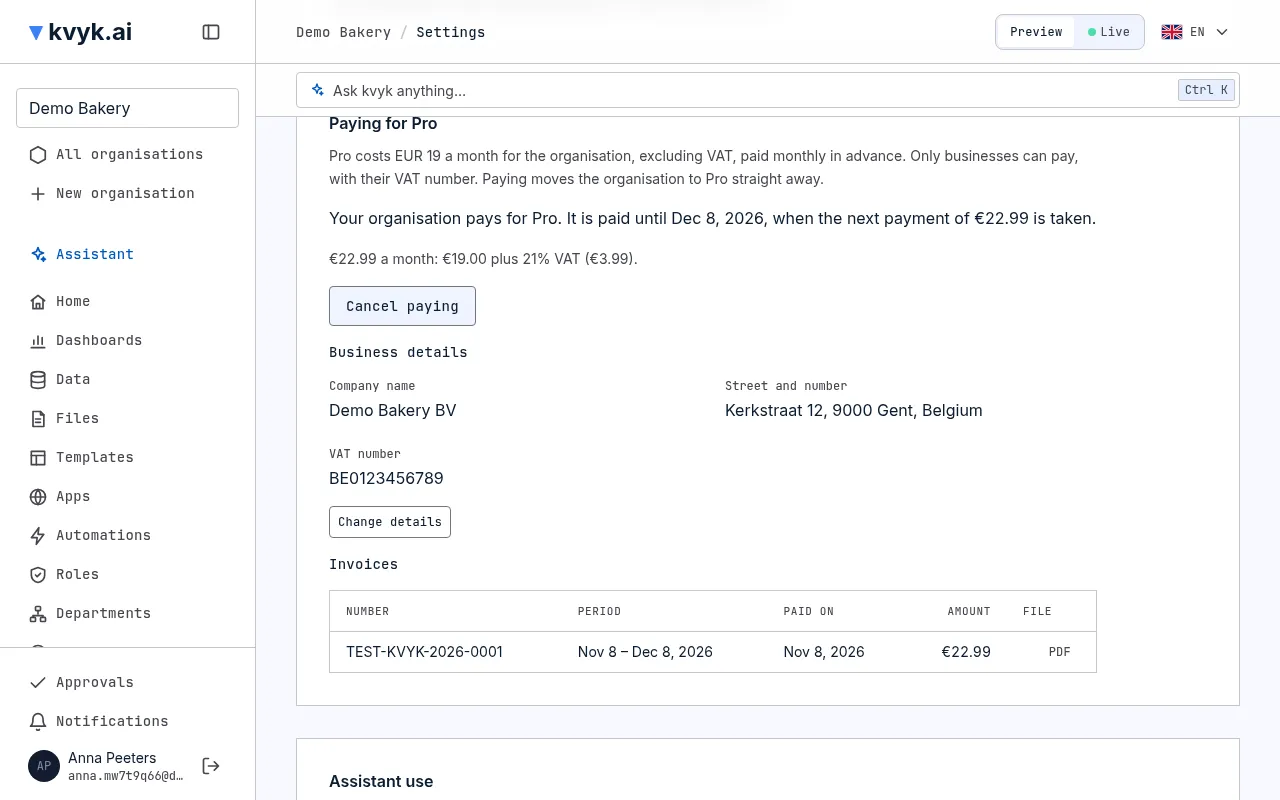
Invoices lists an invoice for each paid month; choose PDF to download it.
Cancel
Section titled “Cancel”Choose Cancel paying and confirm. No further payment is taken, and Pro runs until the end of the month you paid; then the organisation moves to Free. Months already paid are not refunded. Until the month ends you can choose Pay for Pro again, and the new month starts when the paid one ends.
When a payment fails
Section titled “When a payment fails”When a payment fails or is reversed, the Administrators get an email and Paying for Pro says by when to pay. The organisation stays on Pro for 14 days; choose Pay now to pay. If nothing is paid by then, the organisation moves to Free. Moving to Free takes nothing away, as under When you reach a limit.
The Administrators get an email when the organisation moves to Pro, when paying is cancelled and when it moves back to Free.
When a price changes
Section titled “When a price changes”We announce a price change at least 30 days before it applies to you, and you can cancel before then. If you signed up at the launch prices, you keep them for 6 months after the change.
The details are in the terms.
See also Organisation settings.